When dealing with voice assistants, I got sick of Amazon shilling everything under the sun on the Alexa device that I’ve used, quite literally, since they launched the service. It was one of the original Echo devices, the tall tower one with a speaker that was…*chef’s kiss* Really an outstanding device for a little over a decade.
This last Christmas, my family got me a couple of voice assistants and a Raspberry Pi 5 (because I begged for them (tbh I put them on my list (tbh my wife was probably sick of me complaining about the alexa))). I asked for them because we have added quite a few smart plugs and a few smart lights in the house over the last few years, and we’ve really gotten used to using Alexa to set alarms and timers and to play some Pandora stations and some Christmas music. The voice assistants and the Raspberry Pi 5 were to replace the Amazon Echo and the Echo Dot (the Echo was in the house, the dot in my office).
It’s been a really interesting journey here, adding devices to the network, getting it to interface with my TrueNAS storage (and my music), getting it to work with Pandora (thank you kind Music Assistant programmers for the nightly releases that integrated it), and getting all the plugs moved over to open source to avoid having to log in through half a dozen manufacturer sites/APIs/Phone Apps for it to work. It’s been fun and educational. If I had recorded myself it’d be some edutainment, I tell you what.
That aside, though, I finally cracked the last bit of a hassle that I’ve had for the previous few months. My job ended due to budget cuts a week ago last Friday, and so I spent some time finally getting this hassle taken care of.
Y’see, I love the concept of LLMs. I like the back and forth one can have with them, the troubleshooting nature of them, and the way they operate. I REALLY hate the fact that giant companies like Google, Microsoft, OpenAI, Anthropic, etc. are forcing them down everyone’s throats while stealing your personal data from the chats. So I looked into throwing a local LLM on my TrueNAS server.
Suffice to say, it worked pretty well. The models were small, but that’s ok, I don’t need complicated stuff. A basic coding model to flesh out ideas, and a chatty model that will work with Home Assistant were what I wanted. I got them to work on my NAS using my ancient 1080 GTX gpu (with 8gb of RAM!), and they did what I wanted…on the NAS.
Hooking them into the Home Assistant system, though, was a pain point. I wanted them to connect, run the models, contexts, and information on my GPU, and spit out whatever response necessary via the speaker hooked into my voice assistant. That’s where there were issues from almost the get-go.
Ollama as a community app on TrueNAS Scale defaults to the most recent CUDA drivers (something like 570 something or another). 550 drivers, though, were the last ones to work with my 1080. So that was a problem, which interestingly enough, Open WebUI skipped over and used the GPU specifically with the Ollama installed models. I tried a few different things suggested by both Gemini and ChatGPT (because I figured why not get their help to replace themselves), and to no one’s great surprise, they sent me down a few rabbit holes where it didn’t work.
The biggest one was with ChatGPT…they had me make a custom Ollama docker image telling me that this would allow me to use an old version that used the driver. The problem, of course, was that AFTER jumping through that hoop, and then doing a bunch of tests that they assured me would work without a problem, they then told me it was impossible to actually use an older version that used that driver and that I was an utter fool for even thinking that would work, offering such clarifying statements as “I apologize, I didn’t clarify enough”…honestly, it was one step away from Obi Wan’s “from a certain point of view…”
Then I started up the ol’ Gemini, and they gave me the solution to pin to an older version of Ollama. That got installed without a problem with the LLM assuring me without a doubt that each step would fix the issue of using 100% CPU by Ollama. Needless to say eventually they too were like “Hey! Y’know what would fix this? Going back to the official Ollama app!”
To no one’s surprise, it didn’t work.
The LLMs finally admitted there was nothing wrong with my GPU (after telling me repeatedly the GPU was a problem and so was Ollama, and me just as often repeatedly telling them that Open WebUI used the GPU), and so sent me to the Home Assistant settings. None of them worked. They sent me to an eXtended OpenAI conversation community app on Home Assistant. It didn’t work.
They sent me to the official OpenAI conversation app…it didn’t work because I don’t have an API key for ChatGPT and there was no way to point it to my local LLM. They finally said, y’know what, the official Ollama home assistant app should work! This after me repeatedly telling them it processed everything on the CPU.
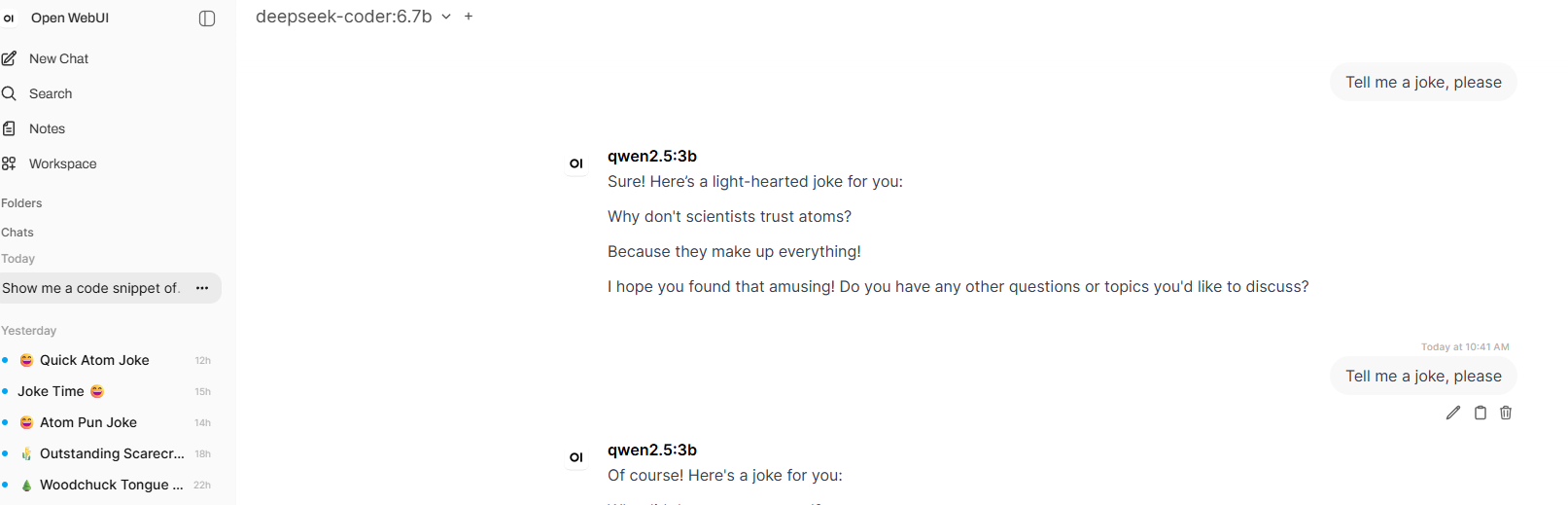
Finally I asked if there was a way we could just use the Open WebUI app on my server to process the GPU calls…and then things started working thankfully. Now the LLM uses the GPU instead of the CPU, the response time is almost instantaneously compared to the CPU processing.
I’m, in the words of the British, chuffed.
Of course, this would have worked flawlessly if I had a newer GPU, but that’ll come in time.