Local LLM and HomeAssistant

When dealing with voice assistants, I got sick of Amazon shilling everything under the sun on the Alexa device that I’ve used, quite literally, since they launched the service. It was one of the original Echo devices, the tall tower one with a speaker that was…*chef’s kiss* Really an outstanding device for a little over a decade.

This last Christmas, my family got me a couple of voice assistants and a Raspberry Pi 5 (because I begged for them (tbh I put them on my list (tbh my wife was probably sick of me complaining about the alexa))). I asked for them because we have added quite a few smart plugs and a few smart lights in the house over the last few years, and we’ve really gotten used to using Alexa to set alarms and timers and to play some Pandora stations and some Christmas music. The voice assistants and the Raspberry Pi 5 were to replace the Amazon Echo and the Echo Dot (the Echo was in the house, the dot in my office).

It’s been a really interesting journey here, adding devices to the network, getting it to interface with my TrueNAS storage (and my music), getting it to work with Pandora (thank you kind Music Assistant programmers for the nightly releases that integrated it), and getting all the plugs moved over to open source to avoid having to log in through half a dozen manufacturer sites/APIs/Phone Apps for it to work. It’s been fun and educational. If I had recorded myself it’d be some edutainment, I tell you what.

That aside, though, I finally cracked the last bit of a hassle that I’ve had for the previous few months. My job ended due to budget cuts a week ago last Friday, and so I spent some time finally getting this hassle taken care of.

Y’see, I love the concept of LLMs. I like the back and forth one can have with them, the troubleshooting nature of them, and the way they operate. I REALLY hate the fact that giant companies like Google, Microsoft, OpenAI, Anthropic, etc. are forcing them down everyone’s throats while stealing your personal data from the chats. So I looked into throwing a local LLM on my TrueNAS server.

Suffice to say, it worked pretty well. The models were small, but that’s ok, I don’t need complicated stuff. A basic coding model to flesh out ideas, and a chatty model that will work with Home Assistant were what I wanted. I got them to work on my NAS using my ancient 1080 GTX gpu (with 8gb of RAM!), and they did what I wanted…on the NAS.

Hooking them into the Home Assistant system, though, was a pain point. I wanted them to connect, run the models, contexts, and information on my GPU, and spit out whatever response necessary via the speaker hooked into my voice assistant. That’s where there were issues from almost the get-go.

Ollama as a community app on TrueNAS Scale defaults to the most recent CUDA drivers (something like 570 something or another). 550 drivers, though, were the last ones to work with my 1080. So that was a problem, which interestingly enough, Open WebUI skipped over and used the GPU specifically with the Ollama installed models. I tried a few different things suggested by both Gemini and ChatGPT (because I figured why not get their help to replace themselves), and to no one’s great surprise, they sent me down a few rabbit holes where it didn’t work.

The biggest one was with ChatGPT…they had me make a custom Ollama docker image telling me that this would allow me to use an old version that used the driver. The problem, of course, was that AFTER jumping through that hoop, and then doing a bunch of tests that they assured me would work without a problem, they then told me it was impossible to actually use an older version that used that driver and that I was an utter fool for even thinking that would work, offering such clarifying statements as “I apologize, I didn’t clarify enough”…honestly, it was one step away from Obi Wan’s “from a certain point of view…”

Then I started up the ol’ Gemini, and they gave me the solution to pin to an older version of Ollama. That got installed without a problem with the LLM assuring me without a doubt that each step would fix the issue of using 100% CPU by Ollama. Needless to say eventually they too were like “Hey! Y’know what would fix this? Going back to the official Ollama app!”

To no one’s surprise, it didn’t work.

The LLMs finally admitted there was nothing wrong with my GPU (after telling me repeatedly the GPU was a problem and so was Ollama, and me just as often repeatedly telling them that Open WebUI used the GPU), and so sent me to the Home Assistant settings. None of them worked. They sent me to an eXtended OpenAI conversation community app on Home Assistant. It didn’t work.

They sent me to the official OpenAI conversation app…it didn’t work because I don’t have an API key for ChatGPT and there was no way to point it to my local LLM. They finally said, y’know what, the official Ollama home assistant app should work! This after me repeatedly telling them it processed everything on the CPU.

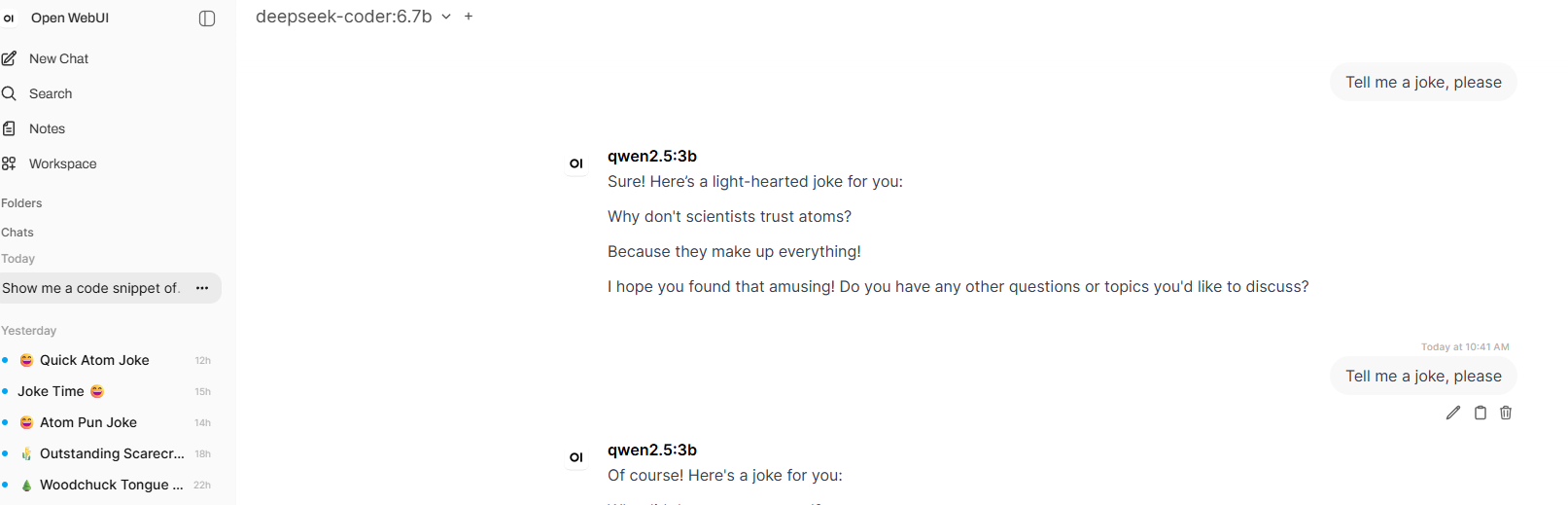
Finally I asked if there was a way we could just use the Open WebUI app on my server to process the GPU calls…and then things started working thankfully. Now the LLM uses the GPU instead of the CPU, the response time is almost instantaneously compared to the CPU processing.

I’m, in the words of the British, chuffed.

Of course, this would have worked flawlessly if I had a newer GPU, but that’ll come in time.

PDF Convolutions and TrueNAS Scale

If you’ve dealt with either the government, businesses, or obnoxious forms online, you’ve probably ran across a PDF that isn’t really set up for editing…or if you applied for a job that required letters of ref/transcripts/resume/CV but only allowed one file upload, you’ve probably ran into problems with trying to get the PDFs to work well.

Which is EXACTLY what Adobe wants. They want you to be in pain so that you pay them to allow adjustments to files you already own and have created. And they require a subscription, which as I’ve already stated, I find really obnoxious and stupid.

Well, I ran into some merge difficulties tonight because I had to upload like 6 files, but they only allowed four files to be uploaded. Because, y’know, storage? Bad coding? Outright jerkishness? Any and/or all of the above really. And yeah, there are sites that will merge files for you for free on the internet…but I don’t like sharing personal data with rando sites.

So, with the NAS, I decided why not? Let’s look for a PDF editor. And right away, in the TrueNAS community apps section, was Stirling PDF. It is now self-hosted and running in a docker container…and it was free, does everything I need it to, and is only available on my network.

Highly recommend, really easy to use.

Some more NAS server stuff

So it’s been a few weeks, largely because of other non-techy stuff that is going on in our lives. However, I thought I’d update on the old TrueNAS Scale server going on.

Firstly, I installed Tailscale. Paul Bunyan’s servers don’t allow incoming server requests, but with TailScale installed, it routes everything through that system. It’s free, which is good, and really easy to use. I’m sure that eventually it will change from free to cost, in which case I’ll look for other options.

But as you can see from the picture above, I was able to watch my animaniacs show through tailscale over my cell phone data. It worked really flawlessly, really happy with it!

If you’re wondering which cell phone plan, I have Mint Mobile, and I pay for the $15 a month plan, which has 5 gb of data. It’s a solid system, works pretty well 95% of the time, and since I own the phone, it’s a good system to have.

I’ve also attempted installing some custom docker containers to help with task management, like TimeTagger (to track time on specific tasks) and Grocy (to track our pantry and our chore list). It was a bit of a challenge to get them installed, but once I figured out the bash situation (TrueNas Scale doesn’t seem to need the additional escape $ that docker environs usually require), they work flawlessly.

On my to-do list with the server is to figure out how to get some security cameras up in here running locally.

Google you’re chasing me into the arms of my NAS

Google destroying workable options in their apps for zero reason like the music controls in maps is yet another reason I’m working on moving away from corporate resources.

Honestly, there’s no customer-based reason for them to have limited it only to a couple apps. It was working fine for Musicolet (which is what I use for my cell phone based music), but I suppose they’re not getting any cash or advertising from a free service instead of a subscription service. I guess it still works for Spotify. Back room deals anyone?

In the TrueNAS Scale department of divorcing myself from corporate overlords, I’ve been using some TailScale for away-from-home access to my storage (mainly for Immich, since my wife and I take a lot of pictures). I mean, accessing my home library of movies is great too, but MUCH less of a concern. The photo gallery is the big one. I’d set up proxy and protective services myself, but Paulbunyan.net uses CNAT addressing, and don’t allow incoming connections. So Tailscale it is, for the time being.

In the coming months (once I sell enough old comp equipment to afford the new hard drives), I’ll be also installing and working with Home Assistant instead of the Amazon Alexa ecosystem. I’ve loved using the Alexa for things like playing Pandora, asking about the weather forecast(hello middle age), controlling wifi plugs/lights, and mainly setting kitchen timers…but similar to Google, I’m getting leery of allowing corpoorate entities that much of a peek into my day-to-day.

And yes, yes, yes, I know I KNOW about the dangers of cell phones and apps constantly listening (*cough cough* FACEBOOK *cough*), and I’m running almost everything through Brave browser on the phone to try and cut that down. I still have to be part of the Googly Moogly system, though, due to work and access (though much of my private day-to-day email is still very much handled via Froyd.net servers). Heck, I use Duckduckgo for 99% of my internet searching now.

I just want to take back control of what I can, using open source programs created by like minded individuals as opposed to corprations who answer to stockholders. It’s the independent Norwegian in me…to do it all myself, I don’t need help. That and my disgust with things changing ALL THE TIME without even a notice or a how-do-you-do.

TrueNAS and Processor

So I pulled the old GTX 1080 out of my computer that I’m using for the TrueNAS server. I was a little hesitant to do this because I had read a couple places that having a GPU would help with streaming videos.

My processor is an Intel Core i7-4770 Quad-Core Desktop Processor 3.4 GHZ LGA, and I’ve had zero issues streaming to the Roku tv in the house (I’m in the garage, hardwired in for my work computers and my server box). All videos have streamed with no problems, and the subtitles (that I used Subtitle Edit to do with their auto generation with a LLM database) work great.

So one doesn’t need a brand spanking new stuff to have a good workable TrueNAS setup, and it’s great.

Plex vs. Jellyfin

So I started with Plex because Jellyfin was a bit more of a pain to set up. But I REALLY got tired of it constantly having me sign in and register different emails for different devices, and then not seeing that the account had access to the folder because it was on my home network and I didn’t appreciate it trying to shove things down my throat.

That being said, it handled the library pretty well (though its cache refresh was astoundingly slow for reordering movies after editing metadata and having it refresh the list after metadata had been put in). Roku had an app, which was good.

However, I got sick of the nonsense, to be honest. It was slick, sure, but it was also yet another corporation trying to sell me something.

So I also installed Jellyfin. I like it a lot more, to be honest. Similar style of movie/tv show display as Plex, but without the corporate spying overlord requiring you register with them off network in order to use the app.

The biggest problem was where to add the storage, and what network address was required. Once that was figured out, then it was great. Easily edited, almost immediately reordered, and easy to use. Plus, it ALSO had a Roku app…that we got before either the wife or I got used to the way the Plex app operated.

Now I’m just getting all our DVDs up on the server…of which I’ll have to upgrade my storage (right now the images are on the mirrored hard drives, while the videos are on a usb external drive not mirrored, which TrueNAS absolutely hates). I’m going to probably upgrade to two 8TB hard drives to set up in mirror mode.

I’ll get those once I sell a bunch of the old computer equipment I’ve got laying around here to pay for them.